



Our user experience comes first for everything.
Express remit
.png)
Worldwide reach
.png)
0 fee via SWIFT
.png)
Our user experience comes first for everything.
Express remit
Worldwide reach
0 fee via SWIFT
Our user experience comes first for everything.
Express remit
Worldwide reach
0 fee via SWIFT
Our user experience comes first for everything.
Express remit
Worldwide reach
0 fee via SWIFT
How do I transfer?
01.
Open the ZA Bank App, go to the Transfer page, and tap Global Transfer
02.
Select the destination country/region and currency
03.
Fill in the transfer amount and other information (HKD will be the default currency if using Express remit by Wise)
04.
Finish the transfer process and then sit back and wait!
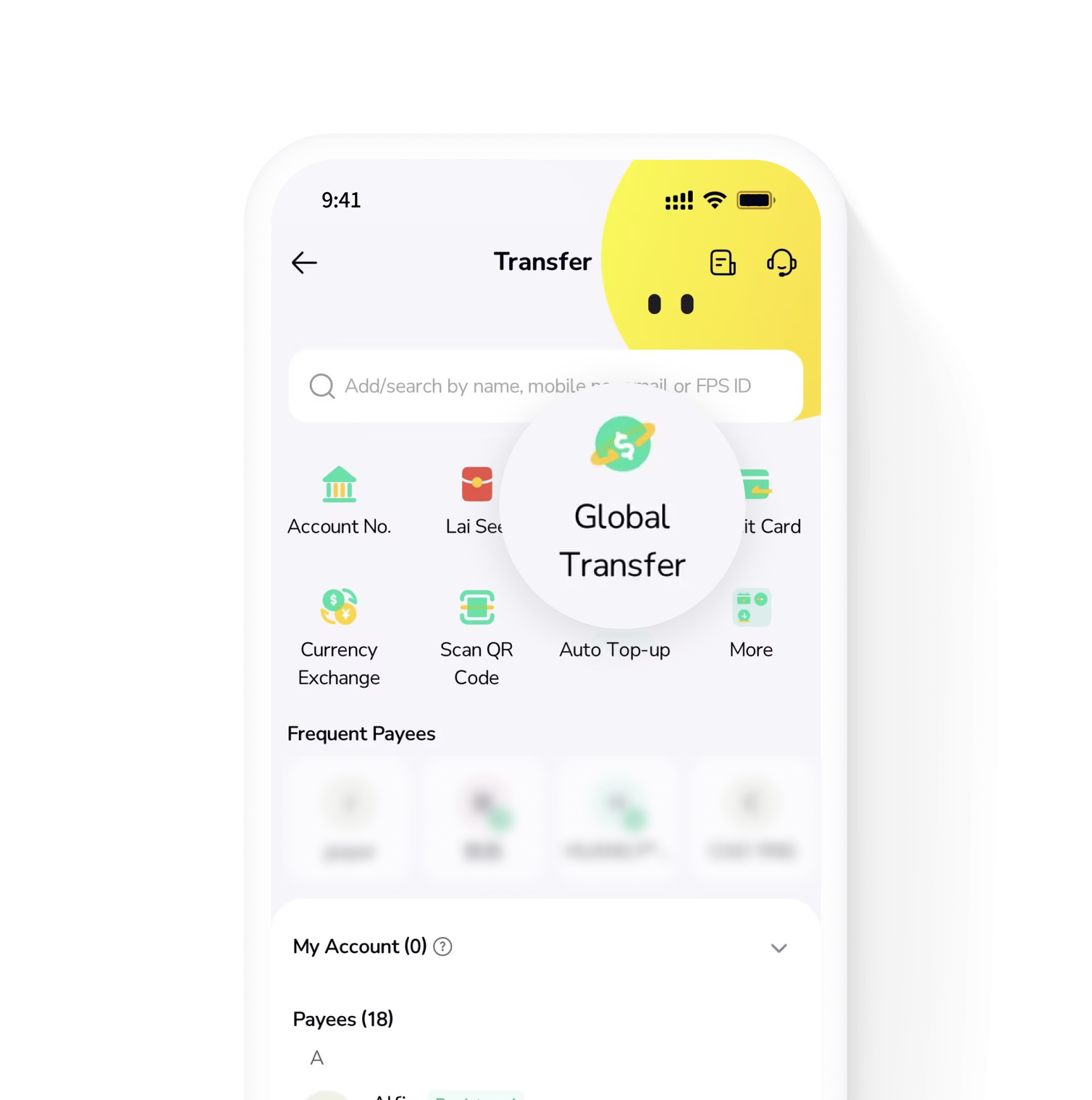
How do I transfer?
01.
Open the ZA Bank App, go to the Transfer page, and tap Global Transfer
02.
Select the destination country/region and currency
03.
Fill in the transfer amount and other information (HKD will be the default currency if using Express remit by Wise)
04.
Finish the transfer process and then sit back and wait!
How do I transfer?
01.
Open the ZA Bank App, go to the Transfer page, and tap Global Transfer
02.
Select the destination country/region and currency
03.
Fill in the transfer amount and other information (HKD will be the default currency if using Express remit by Wise)
04.
Finish the transfer process and then sit back and wait!
.png)
01.
Open the ZA Bank App, go to the Transfer page, and tap Global Transfer
02.
Select the destination country/region and currency
03.
Fill in the transfer amount and other information (HKD will be the default currency if using Express remit by Wise)
04.
Finish the transfer process and then sit back and wait!
.png)
01.
Open the ZA Bank App, go to the Transfer page, and tap Global Transfer
02.
Select the destination country/region and currency
03.
Fill in the transfer amount and other information (HKD will be the default currency if using Express remit by Wise)
04.
Finish the transfer process and then sit back and wait!
.png)
01.
Open the ZA Bank App, go to the Transfer page, and tap Global Transfer
02.
Select the destination country/region and currency
03.
Fill in the transfer amount and other information (HKD will be the default currency if using Express remit by Wise)
04.
Finish the transfer process and then sit back and wait!
How do I transfer?
01.
Open the ZA Bank App, go to the Transfer page, and tap Global Transfer
02.
Select the destination country/region and currency
03.
Fill in the transfer amount and other information (HKD will be the default currency if using Express remit by Wise)
04.
Finish the transfer process and then sit back and wait!
01.
Open the ZA Bank App, go to the Transfer page, and tap Global Transfer
02.
Select the destination country/region and currency
03.
Fill in the transfer amount and other information (HKD will be the default currency if using Express remit by Wise)
04.
Finish the transfer process and then sit back and wait!
01.
Open the ZA Bank App, go to the Transfer page, and tap Global Transfer
02.
Select the destination country/region and currency
03.
Fill in the transfer amount and other information (HKD will be the default currency if using Express remit by Wise)
04.
Finish the transfer process and then sit back and wait!
01.
Open the ZA Bank App, go to the Transfer page, and tap Global Transfer
02.
Select the destination country/region and currency
03.
Fill in the transfer amount and other information (HKD will be the default currency if using Express remit by Wise)
04.
Finish the transfer process and then sit back and wait!
FAQ
FAQ
FAQ
FAQ




- Apple is a trademark of Apple Inc., registered in the U.S.and other countries. App Store is a service mark of Apple Inc.
- Google Play™ is a Trademark of Google LLC.
